Core Objective
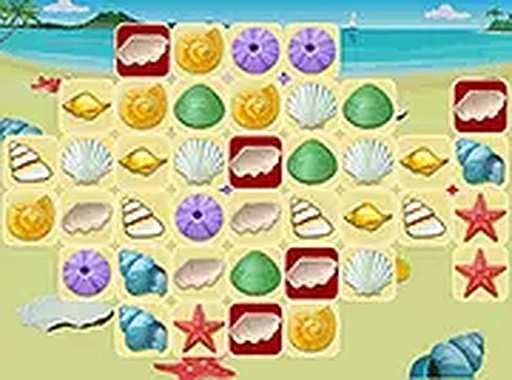
At its heart, Seashell Spotter is a test of visual recall and speed. A target shell appears in the upper right corner of the screen. Your task is to scan the collection of shells displayed below and click on the one that matches the target. Each correct selection earns you points, and the time you take influences your final score. The game emphasizes quick thinking and accurate observation.
Round Structure
Each round presents a new target shell to find. The arrangement of shells changes, so you cannot rely on memorizing positions. This keeps each attempt fresh and requires you to actively scan the screen. The game does not specify a set number of rounds, allowing you to continue playing for as long as you like. You can aim to improve your personal best time with each session.
Visual and Control Design
The interface is clean and uncluttered, with the target shell clearly highlighted. Controls are straightforward: use a mouse click on desktop or a tap on mobile devices. The game supports full screen mode, which can help reduce distractions. The shells are distinct enough to require careful examination, but the overall design remains simple and accessible.
Accessibility and Platform
Seashell Spotter runs entirely in a web browser, so there is no software installation. It works on both mobile phones and desktop computers. The game is free to play, with no in-app purchases or advertisements that interrupt gameplay. This makes it suitable for quick sessions during a break or longer periods of focused play.
Skill Development
Regular play can improve your visual scanning speed and attention to detail. The game presents a low-pressure environment to practice these cognitive skills. As you become more familiar with the shell patterns, you may find your reaction time naturally decreases. The game does not include any complex rules or mechanics, so you can focus entirely on the matching task.






Player Comments
0 comments