Core Gameplay Loop
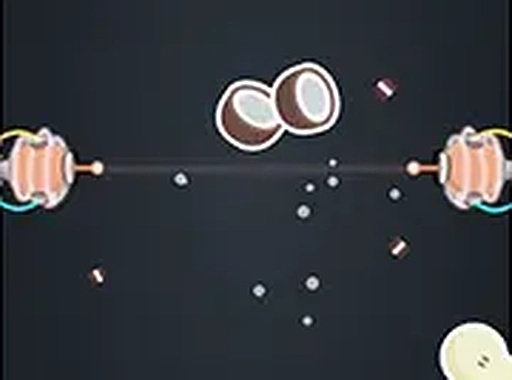
Produce Precision Cutter presents a straightforward objective: slice every piece of fruit that moves across the screen. Using a laser beam, players must click or tap at the precise moment a fruit enters the beam's path. A successful slice splits the fruit in two, awarding points and moving the player closer to level completion. The game emphasizes clean, accurate cuts rather than speed, rewarding careful observation and controlled reactions.
Level Progression & Difficulty
As players advance, the challenge escalates in a measured way. Early levels introduce a single fruit moving at a steady pace, allowing newcomers to grasp the timing. Later stages present multiple fruits simultaneously, each traveling at different speeds and along varied trajectories. This gradual increase in complexity keeps the experience engaging without becoming overwhelming. The game does not rely on random elements; each level follows a set pattern that players can learn and anticipate.
Visual & Control Design
The interface is clean and uncluttered, with the laser beam clearly visible against a simple background. Fruits are brightly colored and easy to distinguish, ensuring players can track them even as they move quickly. Controls are responsive and intuitive: a mouse click on desktop or a tap on a touchscreen activates the laser. The game supports full screen mode for those who prefer an uninterrupted view. This design makes the game accessible to players of all ages and skill levels.
Accessibility & Platform Support
Produce Precision Cutter runs directly in a web browser, requiring no software installation. It is fully optimized for both desktop computers and mobile devices, with touch controls that feel natural on tablets and phones. The game loads quickly and maintains smooth performance across different screen sizes. Being completely free with no in-app purchases or advertisements that disrupt gameplay, it offers a straightforward, no-commitment experience for anyone looking to pass a few minutes with a focused activity.








Player Comments
0 comments